There have been many documented cases of the police trying to stop photographers who are operating well within the boundaries of the law from going about their business. When challenged they invariably fall back on anti terror laws which are not applicable. Senior officers state time and time again that photographers are not to be harassed and yet it continues. Here is another case.
http://www.theregister.co.uk/2010/06/29/police_photo_bother_romford/
Most worrying.
Tuesday, 29 June 2010

Wednesday, 23 June 2010
New Lens In The House
My new, and first L, lens arrived today. I bought the Canon 70-200 f/4L IS lens and the Canon 1.4x extender to go with it. This combination gives me up to 448mm focal length on my Canon 50d camera body which has 1.6x crop sensor. The extender I chose only increases the minimum aperture of the lens by 1 stop and allow you to continue using the image stabilization feature.
Speaking of image stabilization, this lens has two modes. Mode 1 is the regular form of image stabilization. Mode 2 is a panning mode of image stabilization and is used when motion is only horizontal or vertical (but not both).
Speaking of image stabilization, this lens has two modes. Mode 1 is the regular form of image stabilization. Mode 2 is a panning mode of image stabilization and is used when motion is only horizontal or vertical (but not both).
Thursday, 17 June 2010
Back-Button Auto Focus
I have always half pressed the shutter button on all of my cameras to get a focus lock before fully depressing the button to get a shot (after recomposing more often than not). However, I recently found a BETTER WAY! :)
On my Canon 50d there is a button on the back labelled AF-ON. This button can be used to focus the camera, removing the focus function from the shutter button. On some cameras you can reassign the exposure lock button (labelled *) to be an AF-ON button. The shutter button is only used for metering and to take the picture when set up the way I have it. Why would you want to do this? All is explained very clearly at:
http://www.usa.canon.com/dlc/controller?act=GetArticleAct&articleID=2286
I have to say, it feels really awkward at first. You soon get used to it though. My hit rate for in focus pictures has gone up since moving to back-button focus.
For 50d owners go to custom function C.Fn IV-1 and selection option 2. For more options, or if you have a different Canon camera, check out the link above.
On my Canon 50d there is a button on the back labelled AF-ON. This button can be used to focus the camera, removing the focus function from the shutter button. On some cameras you can reassign the exposure lock button (labelled *) to be an AF-ON button. The shutter button is only used for metering and to take the picture when set up the way I have it. Why would you want to do this? All is explained very clearly at:
http://www.usa.canon.com/dlc/controller?act=GetArticleAct&articleID=2286
I have to say, it feels really awkward at first. You soon get used to it though. My hit rate for in focus pictures has gone up since moving to back-button focus.
For 50d owners go to custom function C.Fn IV-1 and selection option 2. For more options, or if you have a different Canon camera, check out the link above.
Expose To The Right (ETTR)
In order to minimise noise, particularly when using higher ISO, it is important to expose to the right. Also, when doing this please remember to shoot in RAW so you can adjust your exposure easily in your RAW conversion software. Simply look at the histogram and make sure it is biased to the right, although not so far to the right so as to blow the highlights though. Doing this will minimise noise. Of course when you look at the pictures on your computer they may seem a little light. Simply adjust the picture with the sliders in your editing software to get it looking right. Remember, the point of this is to minimise noise.

Normally the above histogram would indicate a well exposed shot. When exposing to the right you will adjust your exposure to get something more like the histogram below.

You can find out more at:
http://www.luminous-landscape.com/tutorials/expose-right.shtml

Normally the above histogram would indicate a well exposed shot. When exposing to the right you will adjust your exposure to get something more like the histogram below.

You can find out more at:
http://www.luminous-landscape.com/tutorials/expose-right.shtml
Minimum shutter speed when hand holding camera
There are many factors that can dictate how steady your hands are including the way you hold the camera, your level of experience, and even medical factors. In addition to this Image Stabilisation technology can compensate for hand movement too. However, in general a rule of thumb that is often advised for hand held photography where there is no Image Stabilisation being used is to use the reciprocal of the focal length as your shutter speed to avoid blurred pictures. At a focal length of 50mm you should use a shutter speed of 1/50s. At a focal length of 200mm you should use a faster shutter speed of 1/200s. This rule of thumb assumes your subject is not moving. If your subject is moving you need to increase your shutter speed to take account of the subjects movement if you want a photo without any motion blur.
This rule also assumes you are using a full frame camera (which I am not). Since my camera has a 1.6 crop sensor I need to multiply the focal length by 1.6 before reciprocating it for the required shutter speed. At 50mm I need to reciprocate 50 x 1.6 = 80 and therefore my shutter speed should be 1/80s (instead of 1/50s that you might assume if you don't take the crop in to account). At 200mm I need to reciprocate 200 x 1.6 = 320 and therefore my shutter speed should be 1/320s (instead of 1/200s that you might assume if you don't take the crop in to account). As you can see, the crop makes quite a bit of difference!
This rule also assumes you are using a full frame camera (which I am not). Since my camera has a 1.6 crop sensor I need to multiply the focal length by 1.6 before reciprocating it for the required shutter speed. At 50mm I need to reciprocate 50 x 1.6 = 80 and therefore my shutter speed should be 1/80s (instead of 1/50s that you might assume if you don't take the crop in to account). At 200mm I need to reciprocate 200 x 1.6 = 320 and therefore my shutter speed should be 1/320s (instead of 1/200s that you might assume if you don't take the crop in to account). As you can see, the crop makes quite a bit of difference!
Wednesday, 16 June 2010
Metering from the environment
Another great tip from Peterson in his book Understanding Exposure relates to how you can use elements within your scene to take meter readings when your cameras meter is confused under difficult lighting situations. I have tried this and it really works. Here is the summary. As before I strongly recommend reading the book to get a better understanding. I am only writing the information below for reference purposes.
The Sky Brothers:
The Sky Brothers:
- Brother blue sky: for all kinds of photograph on sunny days take reading from of the sunny blue sky
- Brother backlit sky: for backlit sunrise and sunset landscapes take reading to the side of the sun
- Brother dusky blue sky: for city or country scenes at dusk take reading from the dusk sky
- Brother reflecting sky: for coastal scenes or lake reflections at sunrise or sunset take reading from light reflecting off the surface of the water
Mr. Green Jeans: if the composition has a lot of green in it you take the metering off the green area and expose -2/3.
Try it for yourself and see. Hope that helps.
Creatively correct exposure: reference guide
Peterson, in his book Understanding Exposure, talks about creatively correct exposure. With this term he is referring to the fact that any number of exposures may be technically correct but not all of them are creatively correct. He provides some guidelines for the beginner to try and help them achieve creatively correct exposures more quickly. I found this to be extremely useful and am including it below for reference. I strongly suggest buying and reading the book to make more sense of the information below.
The following types of photograph rely on aperture to be creatively correct.
The following types of photograph rely on aperture to be creatively correct.
- Storytelling picture: small aperture (f/16, f/22, f/32)
- Singular-theme (isolate target): large aperture (f/2.8, f/4, f/5.6)
- Who cares (subject is similar distance to background): (f/8, f/11)
- Macro: Aperture is the critical element, set as required
The following types of photography rely on shutter speed to be creatively correct.
- Freeze action: fast shutter speed (1/250s, 1/500s, 1/1000s)
- Panning: slow shutter speed (1/60s, 1/30s, 1/15s)
- Imply motion: super-slow shutter speed (1/4s, 1/2s, 1s)
8-6-4: a great starting point for indoor flash photography
I sometimes find myself spending too long to set up my camera for a shot. This can lead to missed opportunities. A great setup for getting going quickly is to simply go with 8 6 4!
ISO 800, exposure time 1/60th, Aperture f/4
This should get you up and running with useable pictures. From there you can adjust as necessary. Thanks to AliB at Talk Photography forum for this great piece of advice (www.alisonbaileyphotography.co.uk)
ISO 800, exposure time 1/60th, Aperture f/4
This should get you up and running with useable pictures. From there you can adjust as necessary. Thanks to AliB at Talk Photography forum for this great piece of advice (www.alisonbaileyphotography.co.uk)
Understanding Exposure by Bryan Peterson
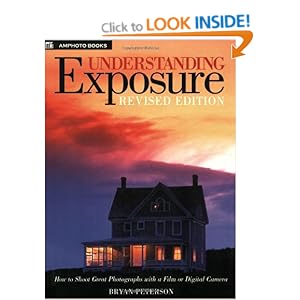
Just finished this book. This is a fantastic book that I would recommend to anyone getting in to photography. It's relatively slim and so is not daunting to read. It's written in an easy to read style and there are lots of pictures with descriptions next to each picture which describe how exposure readings were taken for that picture and what exposure was actually used.
AKPhoto Blog
Hi, follow me on my journey in the world of photography. I'll share tips, inspiration and my work with you as time goes on.
Thanks for reading,
Amir
Thanks for reading,
Amir
Subscribe to:
Posts (Atom)