I picked this tip up from Tim Dodds on the TP forum at a meet last weekend. Find the brightest spot in the sky and adjust exposure compensation +3 stops from the reading the camera gives you. This will give you a very good exposure to shoot at if you have a lot of the sky in your scene.
On the 50d the exposure compensation only shows two stops. So, go for +2 stops and then either reduce the shutter speed by a half, increase the ISO by one stop, or open up the aperture by 1 stop. Simples!
Wednesday, 18 August 2010

Thursday, 5 August 2010
Using the 50d's Automatic Exposure Bracketing feature for HDR

At the following blog you can find a technique which takes advantage of the 50d's method of setting up Automatic Exposure Bracketing to easily shoot a series of bracketed exposures covering the histogram from -4 EV to +4 EV in increments as fine as 1/3rd stop. This would result in giving you 9 images to feed to the HDR software. It would be better if the camera 'just did it' but we work with the tools we have right? :)
I have configured my Func. button operate my Exposure Comp/AEB settings via C.FnIV.7 option 2 to allow me to take HDR sequences more easily. I have also set my Exposure Bracketing sequence to option 1: -, 0, + as this seems more logical to me.
http://jefflynchdev.wordpress.com/2009/01/15/canon-50d-auto-exposure-bracketing/
For reference this technique results in the following:
EC Value | AEB Amount
+2 EV | +/- 2 EV = +4 EV, +2 EV, 0 EV
+1 EV | +/- 2 EV = +3 EV, +1 EV, -1 EV
-2 EV | +/- 2 EV = -4 EV, -2 EV,
-1 EV | +/- 2 EV = -3 EV,
Results
-4 EV, -3 EV, -2 Ev, -1 EV, 0 EV, +1 EV, +2 EV, +3 EV, +4 EV
Live View: Manual focus on a tripod.
I steer clear of manual focus in part because I do not have perfect eyesight (I can't shoot with glasses on and the dioptre adjustment does not go far enough) and because the viewfinder is too small for me to do this effectively (others may not have the same problem). However, there are certain situations where having manual focus capability would be fantastic including in macro photography and also in a studio portrait environment. In both of these situations the camera is typically mounted on a tripod and the subject is not moving meaning that you can take your time to focus properly. Also, in both of these situations you often end up with or choose to have a shallow depth of field and it is critical get get a specific part of the composition in focus (e.g. the eyes in a portrait).
Live View gives you the ability to focus manually while being able to see the picture on the nice big bright display on the back of the camera. Furthermore, you can zoom in to the image to ensure that you get the critical part of the picture in to focus.
When in Live View it is typically best to use Live View focus mode (as opposed to quick mode or face detect). You can move your focus point using the joystick and use the + and - buttons to zoom in and out. The video below explains this in more detail.
Live View gives you the ability to focus manually while being able to see the picture on the nice big bright display on the back of the camera. Furthermore, you can zoom in to the image to ensure that you get the critical part of the picture in to focus.
When in Live View it is typically best to use Live View focus mode (as opposed to quick mode or face detect). You can move your focus point using the joystick and use the + and - buttons to zoom in and out. The video below explains this in more detail.
My Menu and Func button on the 50d
There are many menu pages on the 50d which cover a wide range of settings. I use some of these much more frequently than other and it would be a real pain to have to dig through the menus to find those settings every time. Thankfully Canon created an additional menu category called My Menu. This is a blank menu and you can put your most frequently used items in to my menu. Furthermore, you can choose an option relating to My Menu which means that you ALWAYS go to My Menu when the menu button is pressed. You can still get to the other menus but you start in My Menu. The below YouTube video explains how to set this up.
For now I am using the following in My Menu. I will edit this post should I change them in the future:
- Mirror Lockup
- Erase Images
- Flash/Speedlite Control
- Shutter Button/AF-ON
- Camera User Settings
- LCD Brightness
I have configured my Func. button operate my Exposure Comp/AEB settings via C.FnIV.7 option 2 to allow me to take HDR sequences more easily. I have also set my Exposure Bracketing sequence to option 1: -, 0, + as this seems more logical to me.
For now I am using the following in My Menu. I will edit this post should I change them in the future:
- Mirror Lockup
- Erase Images
- Flash/Speedlite Control
- Shutter Button/AF-ON
- Camera User Settings
- LCD Brightness
I have configured my Func. button operate my Exposure Comp/AEB settings via C.FnIV.7 option 2 to allow me to take HDR sequences more easily. I have also set my Exposure Bracketing sequence to option 1: -, 0, + as this seems more logical to me.
Using the joystick to select your focus point
I was getting REALLY annoyed with trying to select a focus point with my eye to the camera. I would constantly hit the wrong button. The answer to this problem is extremely simple. On the 50d you can assign the joystick to the top right of the display on the rear of the camera to be select your focus point. You simply push the joystick in the direction of the focus point you want to choose. Simples. The joystick still acts as a joystick when you need it to, for example when you are in the Quick Control Screen.
Speaking of the Quick Control Screen, you normally get that up by pushing the joystick in. However, if you reassign your joystick to select a focus point pushing the joystick in simply selects the centre focus point. To get to the Quick Control Screen simply push the SET button in the middle of the large round wheel on the back of the camera.
To make the joystick select your focus point simply click on Menu and then select set Custom Function III-3 to 1: Multi-Controller direct.
Speaking of the Quick Control Screen, you normally get that up by pushing the joystick in. However, if you reassign your joystick to select a focus point pushing the joystick in simply selects the centre focus point. To get to the Quick Control Screen simply push the SET button in the middle of the large round wheel on the back of the camera.
To make the joystick select your focus point simply click on Menu and then select set Custom Function III-3 to 1: Multi-Controller direct.
User presets C1 and C2 on the 50d
Previously I wrote about how setting your camera to f4, 1/60s and ISO 800 was a good place to start with indoor flash photography when you don't have time to set the camera up properly. Well, you can program all of these settings in to one of two modes on the dial which you use to select M, Tv and Av modes normally.
I set the camera up the way I wanted and then hit the menu button. In there I found the Camera User Presets option. I selected the Register option and then chose which dial mode I wanted to assign my settings to (c1 or c2).
You can set up a lot of things in addition to the ISO, shutter speed and aperture values.
The idea of doing this is so that when I am in a hurry I can quickly dial in C1 for flash photography and have my camera be set to Manual mode, f/4 aperture, 1/60s shutter speed and ISO 800 along with all of my other usual settings.
I have set up C2 for HDR photography. C2 puts my camera in to motor drive mode, enables automatic exposure bracketing (+1 and -1), and puts the camera in to Av mode.
The attached video from YouTube explain this better.
I set the camera up the way I wanted and then hit the menu button. In there I found the Camera User Presets option. I selected the Register option and then chose which dial mode I wanted to assign my settings to (c1 or c2).
You can set up a lot of things in addition to the ISO, shutter speed and aperture values.
The idea of doing this is so that when I am in a hurry I can quickly dial in C1 for flash photography and have my camera be set to Manual mode, f/4 aperture, 1/60s shutter speed and ISO 800 along with all of my other usual settings.
I have set up C2 for HDR photography. C2 puts my camera in to motor drive mode, enables automatic exposure bracketing (+1 and -1), and puts the camera in to Av mode.
The attached video from YouTube explain this better.
Shutter Release Cable

The original parts from Canon are ridiculously expensive. I opted for an eBay clone part from Hong Kong that also has the ability to introduce a timed shutter release and to take multiple pictures with a programmed interval between each shot. I bought the Yongnuo TC-80N3a (http://www.hkyongnuo.com/e-detail.php?ID=232). I bought mine from a Hong Kong based eBay reseller.
In order to completely minimise blurry images from camera shake I will:
- Use a tripod to prevent my shaky hands causing motion blur
- Use mirror lock-up mode to prevent the internal mechanics of the camera introducing vibration which can introduce motion blur
- Use the shutter cable release to prevent my pressing the shutter release on the camera from introducing camera shake and motion blur
Monday, 26 July 2010
Scott Kelby Lighting Recipe App for iPad
I bought Scott Kelby's Lighting photo recipe app on iPad today. This app has about two hours of video training covering about 15 different photo setups including food photography, portraits, and landscape. Specifically the app covers lighting.
This is quite introductory information. Neverthless it was presented in a clear and concise way and was interesting viewing.
Here is a strobist picture I took. I am keen to apply what I learned from this app and carry out more strobist photography.

This is quite introductory information. Neverthless it was presented in a clear and concise way and was interesting viewing.
Here is a strobist picture I took. I am keen to apply what I learned from this app and carry out more strobist photography.
Sunday, 25 July 2010
Unsharp Mask - Good Settings To Start With
Scott Kelby recommends starting with the following unsharp mask settings:
People: Amount 150%, Radius 1, Threshold 10
Cityscape, urban or travel: Amount 65%, Radius 3, Threshold 2
General day to day: Amount 85%, Radius 1, Threshold 4
If you have Photoshop you can do the following to get a better result than just using unsharp alone.
Change the image to Lab colour mode. Select the Lightening channel and apply an unsharp mask with the settings above. Now apply the unsharp mask again and under Edit, adjust the opacity of thebsecond unsharp mask as required.
People: Amount 150%, Radius 1, Threshold 10
Cityscape, urban or travel: Amount 65%, Radius 3, Threshold 2
General day to day: Amount 85%, Radius 1, Threshold 4
If you have Photoshop you can do the following to get a better result than just using unsharp alone.
Change the image to Lab colour mode. Select the Lightening channel and apply an unsharp mask with the settings above. Now apply the unsharp mask again and under Edit, adjust the opacity of thebsecond unsharp mask as required.
Tuesday, 6 July 2010
Canon users: disable Highlight Tone Priority (HTP) and Auto Light Optimiser (ALO)
HTP and ALO are two settings which you should disable if you are trying to achieve results based on your settings (as opposed to results manipulated by the cameras decision making), if you want your display to show the actual shot you have taken rather than an altered one and if you want to stop your camera from doing pointless work thereby potentially reducing lag.
Tim explains why these settings are not desirable, in particular if you are shooting in RAW, in the following thread:
http://www.talkphotography.co.uk/forums/showpost.php?p=2684230&postcount=385
For the sake of completeness I will point out that a number of people have experimented and found which of these intermediate stop ISO settings are created by software and which are natural ISO settings for the camera. However, it all becomes a bit too much to remember and the reality is you are safe with the full stop ISO settings.
Tim explains why these settings are not desirable, in particular if you are shooting in RAW, in the following thread:
http://www.talkphotography.co.uk/forums/showpost.php?p=2684230&postcount=385
For the sake of completeness I will point out that a number of people have experimented and found which of these intermediate stop ISO settings are created by software and which are natural ISO settings for the camera. However, it all becomes a bit too much to remember and the reality is you are safe with the full stop ISO settings.
Canon users: only use an ISO at a full stop
ISO settings usually start at 100 and then increase in stops of light by doubling the ISO number, as follows:
100, 200, 400, 800, 1600
Canon cameras also offer ISO values in between these full stop values. However, it is best to avoid these partial stop ISO values since they are simply achieved by the cameras software intentionally under or overexposing the picture. This can lead to unintentional side effects, include more obvious noise if the image is slightly underexposed. It is better to use the full stop iso settings and be in full control of your shot, preferably exposing to the right.
You can force your 50d to stop using intermediate ISO values by setting the option in the custom function C.fn. I-2.
100, 200, 400, 800, 1600
Canon cameras also offer ISO values in between these full stop values. However, it is best to avoid these partial stop ISO values since they are simply achieved by the cameras software intentionally under or overexposing the picture. This can lead to unintentional side effects, include more obvious noise if the image is slightly underexposed. It is better to use the full stop iso settings and be in full control of your shot, preferably exposing to the right.
You can force your 50d to stop using intermediate ISO values by setting the option in the custom function C.fn. I-2.
Tuesday, 29 June 2010
Police have no real understanding of photographers rights
There have been many documented cases of the police trying to stop photographers who are operating well within the boundaries of the law from going about their business. When challenged they invariably fall back on anti terror laws which are not applicable. Senior officers state time and time again that photographers are not to be harassed and yet it continues. Here is another case.
http://www.theregister.co.uk/2010/06/29/police_photo_bother_romford/
Most worrying.
http://www.theregister.co.uk/2010/06/29/police_photo_bother_romford/
Most worrying.
Wednesday, 23 June 2010
New Lens In The House
My new, and first L, lens arrived today. I bought the Canon 70-200 f/4L IS lens and the Canon 1.4x extender to go with it. This combination gives me up to 448mm focal length on my Canon 50d camera body which has 1.6x crop sensor. The extender I chose only increases the minimum aperture of the lens by 1 stop and allow you to continue using the image stabilization feature.
Speaking of image stabilization, this lens has two modes. Mode 1 is the regular form of image stabilization. Mode 2 is a panning mode of image stabilization and is used when motion is only horizontal or vertical (but not both).
Speaking of image stabilization, this lens has two modes. Mode 1 is the regular form of image stabilization. Mode 2 is a panning mode of image stabilization and is used when motion is only horizontal or vertical (but not both).
Thursday, 17 June 2010
Back-Button Auto Focus
I have always half pressed the shutter button on all of my cameras to get a focus lock before fully depressing the button to get a shot (after recomposing more often than not). However, I recently found a BETTER WAY! :)
On my Canon 50d there is a button on the back labelled AF-ON. This button can be used to focus the camera, removing the focus function from the shutter button. On some cameras you can reassign the exposure lock button (labelled *) to be an AF-ON button. The shutter button is only used for metering and to take the picture when set up the way I have it. Why would you want to do this? All is explained very clearly at:
http://www.usa.canon.com/dlc/controller?act=GetArticleAct&articleID=2286
I have to say, it feels really awkward at first. You soon get used to it though. My hit rate for in focus pictures has gone up since moving to back-button focus.
For 50d owners go to custom function C.Fn IV-1 and selection option 2. For more options, or if you have a different Canon camera, check out the link above.
On my Canon 50d there is a button on the back labelled AF-ON. This button can be used to focus the camera, removing the focus function from the shutter button. On some cameras you can reassign the exposure lock button (labelled *) to be an AF-ON button. The shutter button is only used for metering and to take the picture when set up the way I have it. Why would you want to do this? All is explained very clearly at:
http://www.usa.canon.com/dlc/controller?act=GetArticleAct&articleID=2286
I have to say, it feels really awkward at first. You soon get used to it though. My hit rate for in focus pictures has gone up since moving to back-button focus.
For 50d owners go to custom function C.Fn IV-1 and selection option 2. For more options, or if you have a different Canon camera, check out the link above.
Expose To The Right (ETTR)
In order to minimise noise, particularly when using higher ISO, it is important to expose to the right. Also, when doing this please remember to shoot in RAW so you can adjust your exposure easily in your RAW conversion software. Simply look at the histogram and make sure it is biased to the right, although not so far to the right so as to blow the highlights though. Doing this will minimise noise. Of course when you look at the pictures on your computer they may seem a little light. Simply adjust the picture with the sliders in your editing software to get it looking right. Remember, the point of this is to minimise noise.

Normally the above histogram would indicate a well exposed shot. When exposing to the right you will adjust your exposure to get something more like the histogram below.

You can find out more at:
http://www.luminous-landscape.com/tutorials/expose-right.shtml

Normally the above histogram would indicate a well exposed shot. When exposing to the right you will adjust your exposure to get something more like the histogram below.

You can find out more at:
http://www.luminous-landscape.com/tutorials/expose-right.shtml
Minimum shutter speed when hand holding camera
There are many factors that can dictate how steady your hands are including the way you hold the camera, your level of experience, and even medical factors. In addition to this Image Stabilisation technology can compensate for hand movement too. However, in general a rule of thumb that is often advised for hand held photography where there is no Image Stabilisation being used is to use the reciprocal of the focal length as your shutter speed to avoid blurred pictures. At a focal length of 50mm you should use a shutter speed of 1/50s. At a focal length of 200mm you should use a faster shutter speed of 1/200s. This rule of thumb assumes your subject is not moving. If your subject is moving you need to increase your shutter speed to take account of the subjects movement if you want a photo without any motion blur.
This rule also assumes you are using a full frame camera (which I am not). Since my camera has a 1.6 crop sensor I need to multiply the focal length by 1.6 before reciprocating it for the required shutter speed. At 50mm I need to reciprocate 50 x 1.6 = 80 and therefore my shutter speed should be 1/80s (instead of 1/50s that you might assume if you don't take the crop in to account). At 200mm I need to reciprocate 200 x 1.6 = 320 and therefore my shutter speed should be 1/320s (instead of 1/200s that you might assume if you don't take the crop in to account). As you can see, the crop makes quite a bit of difference!
This rule also assumes you are using a full frame camera (which I am not). Since my camera has a 1.6 crop sensor I need to multiply the focal length by 1.6 before reciprocating it for the required shutter speed. At 50mm I need to reciprocate 50 x 1.6 = 80 and therefore my shutter speed should be 1/80s (instead of 1/50s that you might assume if you don't take the crop in to account). At 200mm I need to reciprocate 200 x 1.6 = 320 and therefore my shutter speed should be 1/320s (instead of 1/200s that you might assume if you don't take the crop in to account). As you can see, the crop makes quite a bit of difference!
Wednesday, 16 June 2010
Metering from the environment
Another great tip from Peterson in his book Understanding Exposure relates to how you can use elements within your scene to take meter readings when your cameras meter is confused under difficult lighting situations. I have tried this and it really works. Here is the summary. As before I strongly recommend reading the book to get a better understanding. I am only writing the information below for reference purposes.
The Sky Brothers:
The Sky Brothers:
- Brother blue sky: for all kinds of photograph on sunny days take reading from of the sunny blue sky
- Brother backlit sky: for backlit sunrise and sunset landscapes take reading to the side of the sun
- Brother dusky blue sky: for city or country scenes at dusk take reading from the dusk sky
- Brother reflecting sky: for coastal scenes or lake reflections at sunrise or sunset take reading from light reflecting off the surface of the water
Mr. Green Jeans: if the composition has a lot of green in it you take the metering off the green area and expose -2/3.
Try it for yourself and see. Hope that helps.
Creatively correct exposure: reference guide
Peterson, in his book Understanding Exposure, talks about creatively correct exposure. With this term he is referring to the fact that any number of exposures may be technically correct but not all of them are creatively correct. He provides some guidelines for the beginner to try and help them achieve creatively correct exposures more quickly. I found this to be extremely useful and am including it below for reference. I strongly suggest buying and reading the book to make more sense of the information below.
The following types of photograph rely on aperture to be creatively correct.
The following types of photograph rely on aperture to be creatively correct.
- Storytelling picture: small aperture (f/16, f/22, f/32)
- Singular-theme (isolate target): large aperture (f/2.8, f/4, f/5.6)
- Who cares (subject is similar distance to background): (f/8, f/11)
- Macro: Aperture is the critical element, set as required
The following types of photography rely on shutter speed to be creatively correct.
- Freeze action: fast shutter speed (1/250s, 1/500s, 1/1000s)
- Panning: slow shutter speed (1/60s, 1/30s, 1/15s)
- Imply motion: super-slow shutter speed (1/4s, 1/2s, 1s)
8-6-4: a great starting point for indoor flash photography
I sometimes find myself spending too long to set up my camera for a shot. This can lead to missed opportunities. A great setup for getting going quickly is to simply go with 8 6 4!
ISO 800, exposure time 1/60th, Aperture f/4
This should get you up and running with useable pictures. From there you can adjust as necessary. Thanks to AliB at Talk Photography forum for this great piece of advice (www.alisonbaileyphotography.co.uk)
ISO 800, exposure time 1/60th, Aperture f/4
This should get you up and running with useable pictures. From there you can adjust as necessary. Thanks to AliB at Talk Photography forum for this great piece of advice (www.alisonbaileyphotography.co.uk)
Understanding Exposure by Bryan Peterson
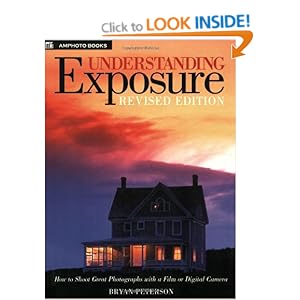
Just finished this book. This is a fantastic book that I would recommend to anyone getting in to photography. It's relatively slim and so is not daunting to read. It's written in an easy to read style and there are lots of pictures with descriptions next to each picture which describe how exposure readings were taken for that picture and what exposure was actually used.
AKPhoto Blog
Hi, follow me on my journey in the world of photography. I'll share tips, inspiration and my work with you as time goes on.
Thanks for reading,
Amir
Thanks for reading,
Amir
Subscribe to:
Posts (Atom)